
Moving When You Work From Home: How to Pack Your Home Office Without Missing a Beat
The Tote Guy · November 2, 2026
More of us work from home than ever, and that makes moving a little trickier. You still have meetings on the calendar, deadlines to hit and a laptop you can't live without, all while the rest of the house slowly disappears into totes.
The trick is to treat your home office as its own small project instead of one more room to pack. If you're moving anywhere around Columbus or Springfield and you work from home, here's a practical plan to keep working right up to moving day and get back online fast at the new place.
Tell your team before you start packing
A quick heads-up goes a long way. Let your manager, coworkers or clients know your moving dates, and block off the day before, the day of and the day after the move on your calendar. Even if you plan to work those days, you'll be glad you didn't book a big presentation in the middle of loading the truck.
Set up your internet at the new place early
This is the step that catches the most people. Call your internet provider as soon as you know your move-in date and ask how far out they're scheduling installs or transfers. Book it for the day you move in, or as close as you can get.
While you wait, have a backup plan for those first days:
- Check that your phone can work as a hotspot and how much data you have
- Know a coffee shop or library near the new place where you can take a call if you need to
Pack the office in three waves
Your office doesn't have to be packed all at once. Breaking it into waves lets you keep working until the very end.
Wave one: the stuff you rarely touch. Old files, reference books, spare cables and anything on the top shelf. Pack these the day your totes arrive.
Wave two: the everyday extras. Desk decorations, notebooks, the second monitor, chargers you can do without for a few days. Pack these a few days before the move.
Wave three: your working kit. Laptop, the cords that keep it running, your headset and anything you need for the next meeting. These go last, and they go with you (more on that below).
Keep your laptop and work gear with you
Treat your work devices like your wallet and keys. Your laptop, its charger, any work phone, security keys and important papers should ride in your car or your bag, not in the moving truck.
Our totes are great for packing household and office items, but we're not responsible for the contents, so anything you'd be in real trouble losing should stay in your own hands. A backpack or tote bag you carry yourself is the simplest way to know exactly where everything is on moving day.
Before you shut the laptop, make sure your files are backed up and you know your work passwords.
Pack cords and small parts so setup is easy
Nothing slows down setting up an office like a tangle of mystery cables. A few small habits make a big difference:
- Take a photo of the back of your computer or monitor before you unplug anything
- Bundle each cord with a twist tie and put cords for the same device in one zip-top bag
- Label each bag with what it goes to: "monitor," "printer," "dock"
- Keep screws and small hardware for desks or monitor arms taped in a bag to the piece they belong to
Put all of those bags into one tote labeled "office setup" and stack it where you'll find it first.
Packing monitors, printers and supplies in totes
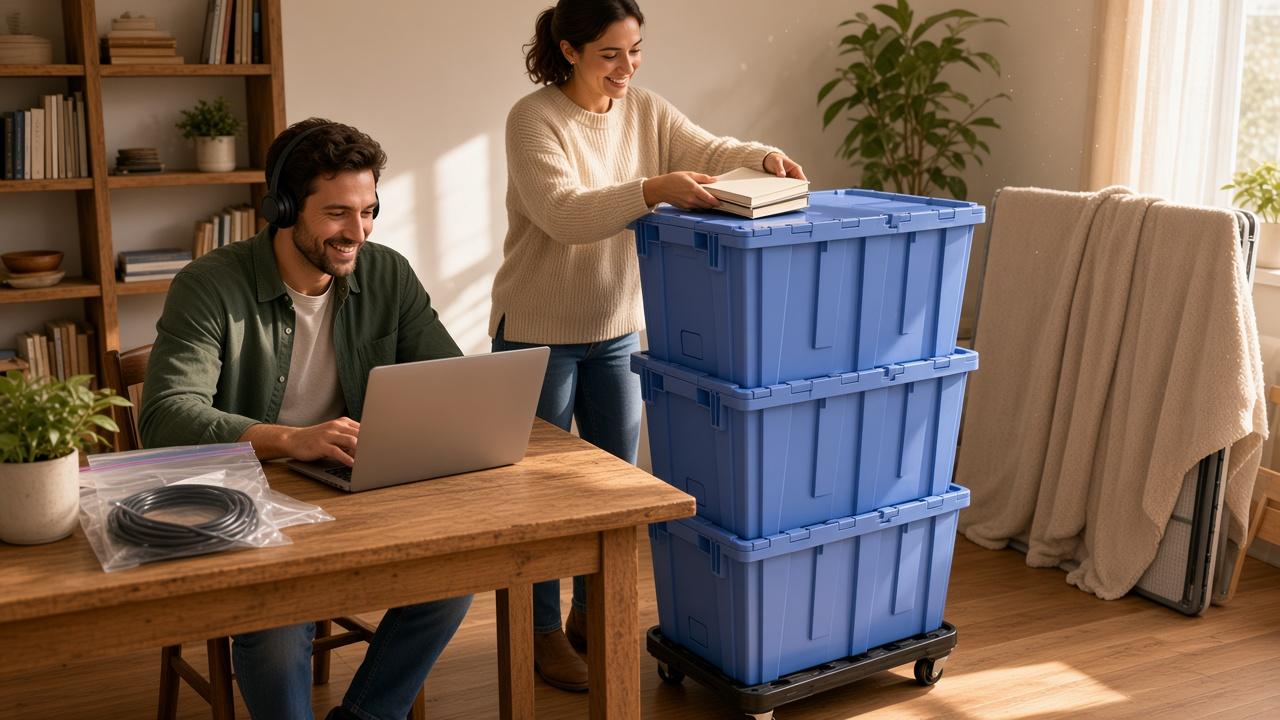
Our flip-top totes have attached lids that close without tape, so they stack neatly and are easy to roll on the included dolly. For the office, that means:
- Books and files go in totes first. Paper gets heavy fast, so fill totes partway with books and top them off with lighter items like notebooks
- Wrap smaller electronics like keyboards, speakers and webcams in a towel or a sweatshirt before they go in a tote
- Monitors and screens are safest in their original box if you still have it. If not, wrap the screen in a blanket and keep it upright, and don't stack anything heavy on top
Keep heavy totes on the bottom of each stack and lighter ones on top, and don't overfill them so the lids close easily.
Set up the office on day one
When you get to the new place, the office can be the first room you get working, even if it's just a corner of the kitchen table for now. Set up the desk, plug in the computer from your photos, test your internet or hotspot and check that you can log in to everything.
Once you're online, unpack the rest of the house at your own pace, and the 14-day rental gives you room to do it without work piling up.
When the last tote is empty, just call or text us and we'll schedule a free pickup.
Picking the right package
Every package includes a 14-day rental with free delivery and pickup:
- Small, $99: 20 totes and 1 dolly, a good fit for a studio or one-bedroom
- Standard, $149: 40 totes and 1 dolly, a typical two- to three-bedroom home
- Large, $199: 60 totes and 2 dollies, larger homes or heavier packing
A home office full of books and files can take more totes than you expect, so factor that in when you size up your move. Not sure which one fits? Call or text (614) 906-8710 and we'll help you pick.
Keep working, keep moving
Working from home doesn't have to make moving harder. Give your team a heads-up, get the internet scheduled early, pack the office in waves and keep your work gear with you, and you'll be back at your desk before most of the totes are even open.
Ready to plan your move? Book your totes at thetoteguy.net, or call or text (614) 906-8710 with any questions. We deliver free across Columbus, Springfield and nearby communities.